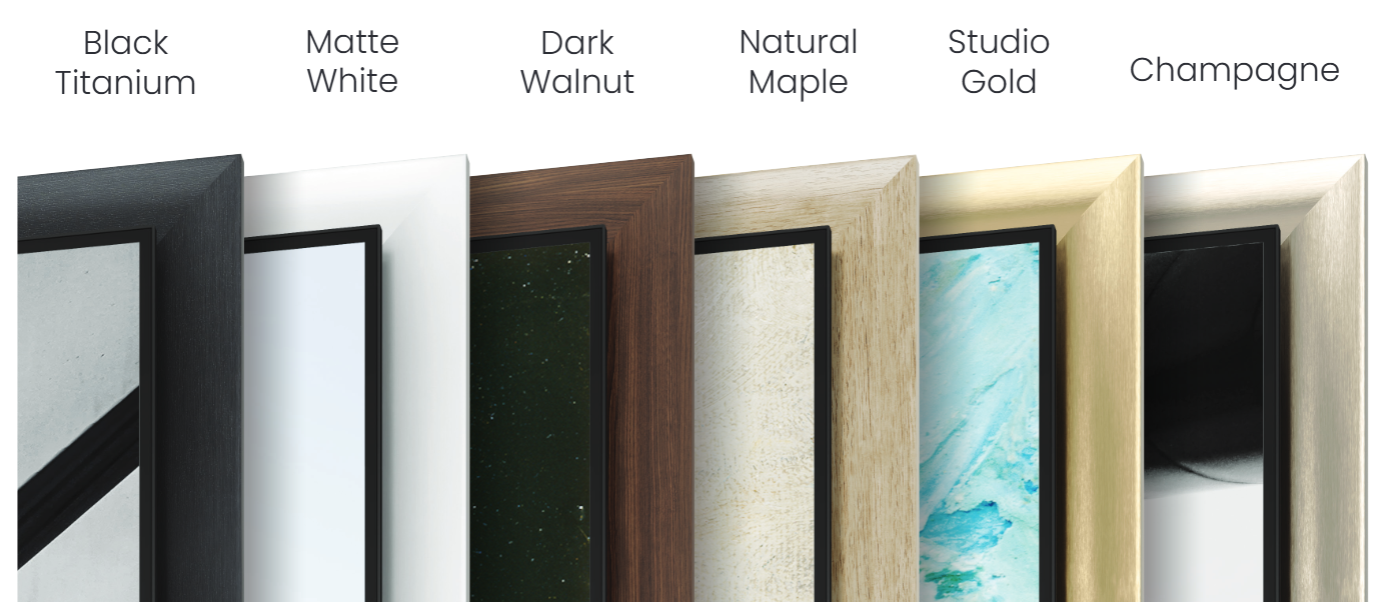
We now offer 6 Bezel styles for the Samsung S95H that are designed to snap in place around the TV once the TV is securely installed. Each frame ships as four pieces that snap together at the corners as each rail is installed on the TV. Expert installation assistance is not required.
PRO TIP: Take a moment to watch this video closely and particularly take notice that the installation sequence of the pieces is TOP >> LEFT >> RIGHT >> BOTTOM and that the bezel cannot be pre-assembled before being installed on the TV.
Step 1
Lay out the four Bezel pieces.
Arrange the four bezel pieces face down on a clean, soft surface near the TV, in the same positions they will occupy on the screen: top, left, right, and bottom. Confirm that you have all four corner keys and the single bottom rail clip before you begin.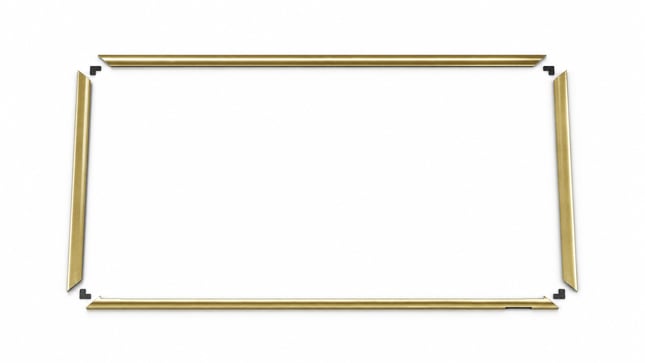
Step 2
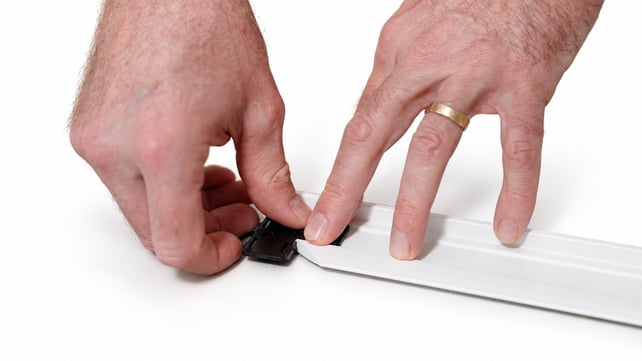
Snap two corner keys into the top bezel.
The bezel joins together with four corner keys, one at each corner.
Start with the top piece:
take two keys and snap one into each end of the channel on the back of the bezel.
Press each key straight down into the channel until it seats flush. Half of the key stays buried in the top piece; the exposed half is what the side pieces will slide onto later.
Step 3
Hang the top bezel on the TV
With both keys pre-installed on the top bezel, lift the top piece up to the TV and hang it across the top edge. Support it at both ends so it goes on square, then let it settle down onto the top of the panel. The top piece hangs on its own and holds the corner keys in position for the sides.
Check how the top piece sits
Look along the top edge and confirm the piece is seated correctly. The face of the bezel should
completely cover the stainless steel panel along the top of the TV, and the inner lip should slide in
behind the floating screen.
If you can still see stainless steel, the piece is not fully down — lift it slightly and reseat it. 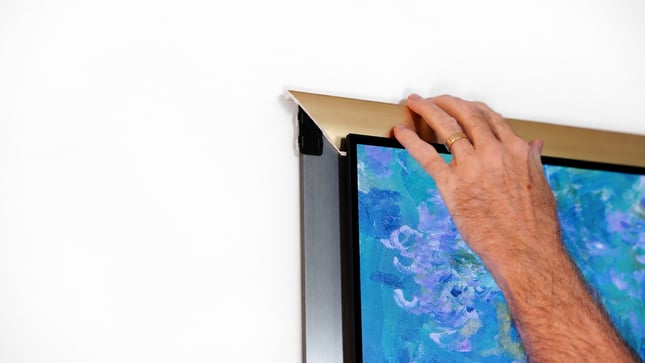
Step 4
Pre-install a corner key on each side piece
Pick up one of the side pieces and, before it goes anywhere near the TV, snap a corner key into the channel on the back at the bottom end. This is much easier to do now, in your hands, than later at the wall. Do the same with the second side piece so both are ready. 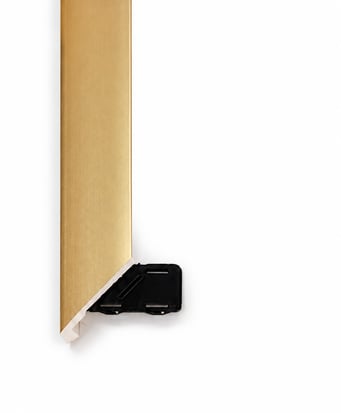
Step 5
Install the first side piece
Bring the side piece in at roughly a 45-degree angle, not flat against the wall. The angle lets the inner lip
clear the edge of the panel. Tuck the lip in behind the OLED panel, rotate the piece flat, and line its inside corner up with the top piece so the miter closes.
Press the top end onto the corner key. Firm, even pressure — you will feel it engage and pull tight.
Repeat on the opposite side
Install the second side piece exactly the same way: bring it in at a 45-degree angle, tuck the inner lip behind the OLED panel, line up the inside corners at the top, and press it onto the corner key. With both sides on, three of the four pieces are installed and the frame will hold itself in place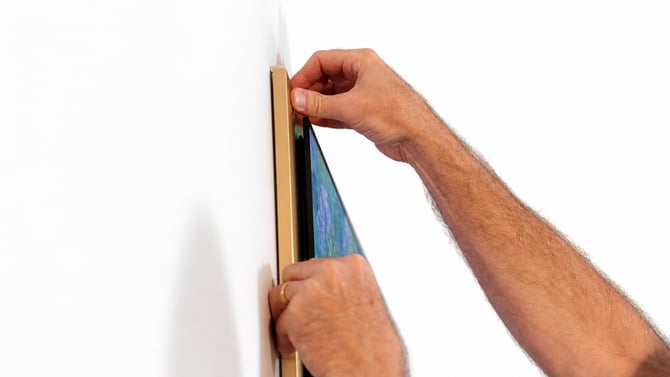
Step 6
Add the rail clip to the bottom piece
The bottom piece takes no corner keys — the two it needs are already on the TV, on the bottom ends of the side pieces you just installed. It does take the bottom rail clip. Snap the clip into the same channel on the back of the piece, centered along its length. It simply clips right in, the same way the corner keys did.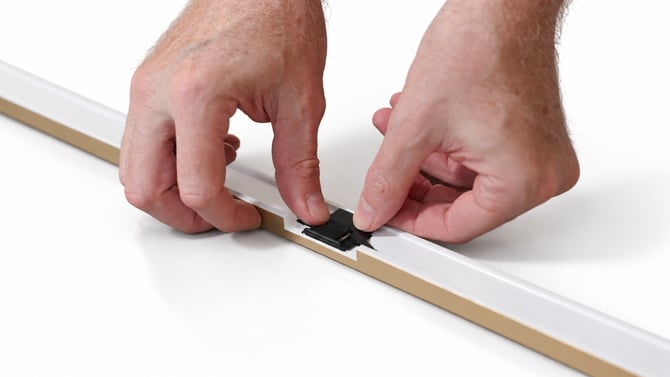
Step 7
Install the bottom piece
Carry the bottom piece to the TV and bring it up underneath. Slide the center rail clip into the cable channel on the back of the TV. The clip supports the middle of the piece while you attach the corners. Press one bottom corner onto the key already installed on that side piece, then press the other corner onto its key. Use firm, even pressure; do not force either joint. 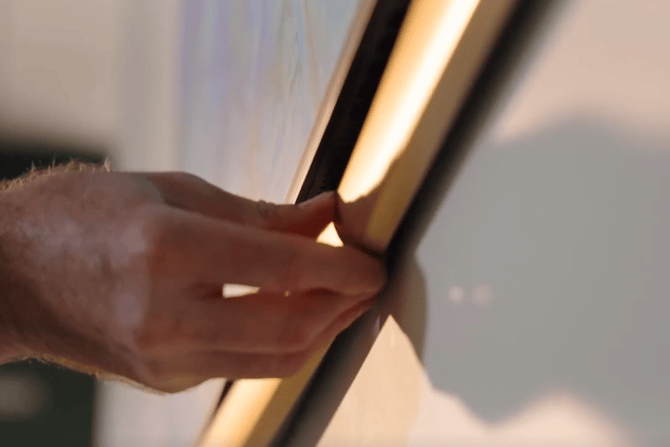
Step 8
Final check
Step back and look at all four corners from an angle. The miters should be tight, the bezel should sit flat against the TV all the way around, and no stainless steel should be visible anywhere along the edge. If a corner stands proud, press it in again — it only needs light pressure
Congratulations!
You can now step back and enjoy your new S95H TV Bezel.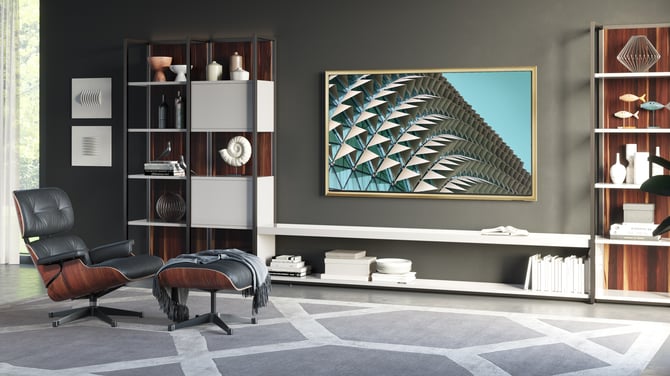
Have Questions?
Contact our customer service team at 978-396-9600.